Your entire live rig,
on one screen.
HowTourNick unites your Behringer XR18 mixer, VST instruments, backing tracks, lyrics with chords, a Yamaha-style arranger and DMX lighting into one touch-driven app — built to be played, not configured.
One app instead of a table full of gear
Each module is a full tool on its own — and they all talk to each other, live, from a single touchscreen.
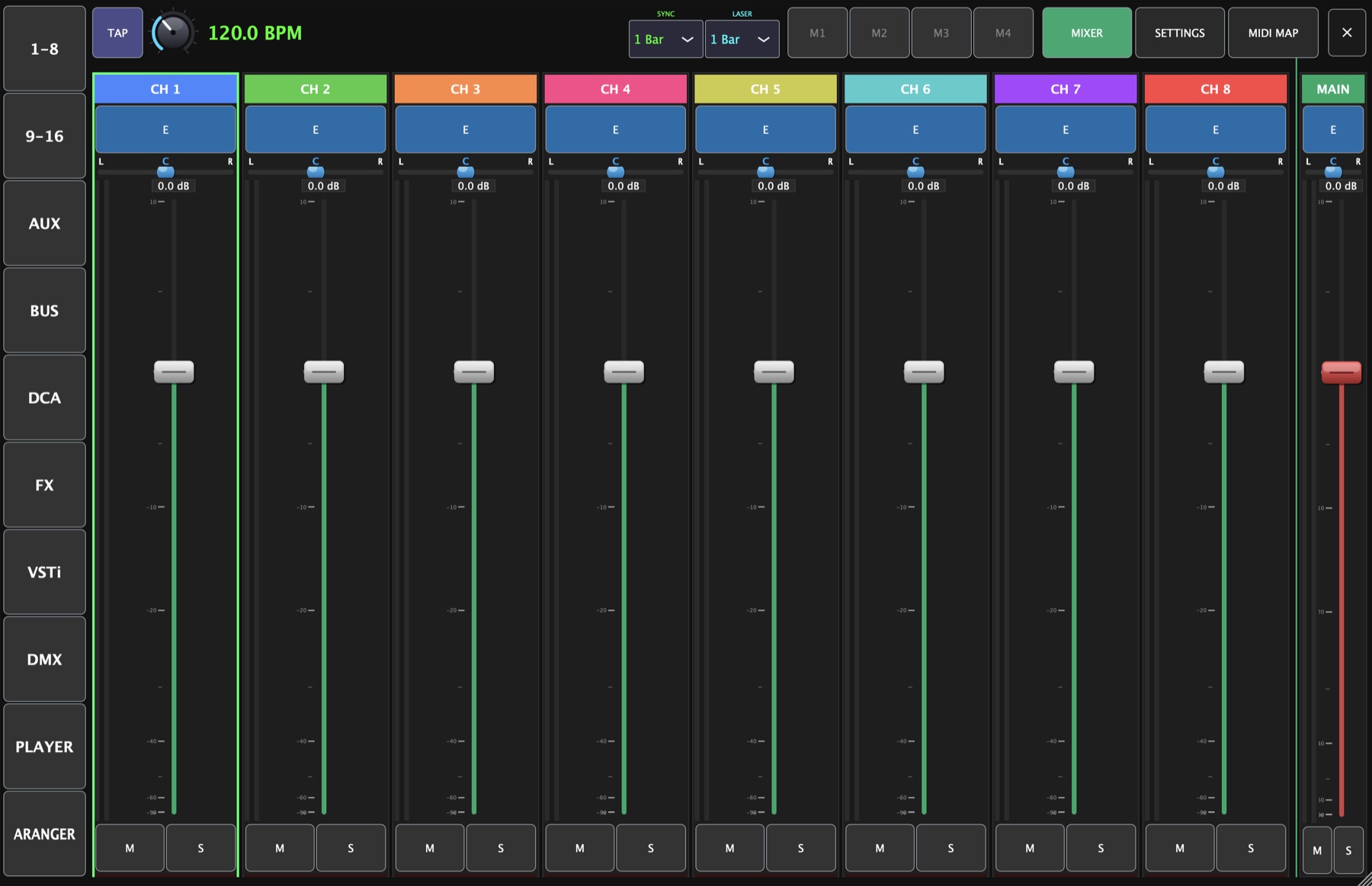
Full control of your XR18
Faders, pan, mute, solo, metering, parametric EQ, compressor and gate — bidirectional OSC over Wi-Fi or LAN keeps the app and the console perfectly in sync, both ways.
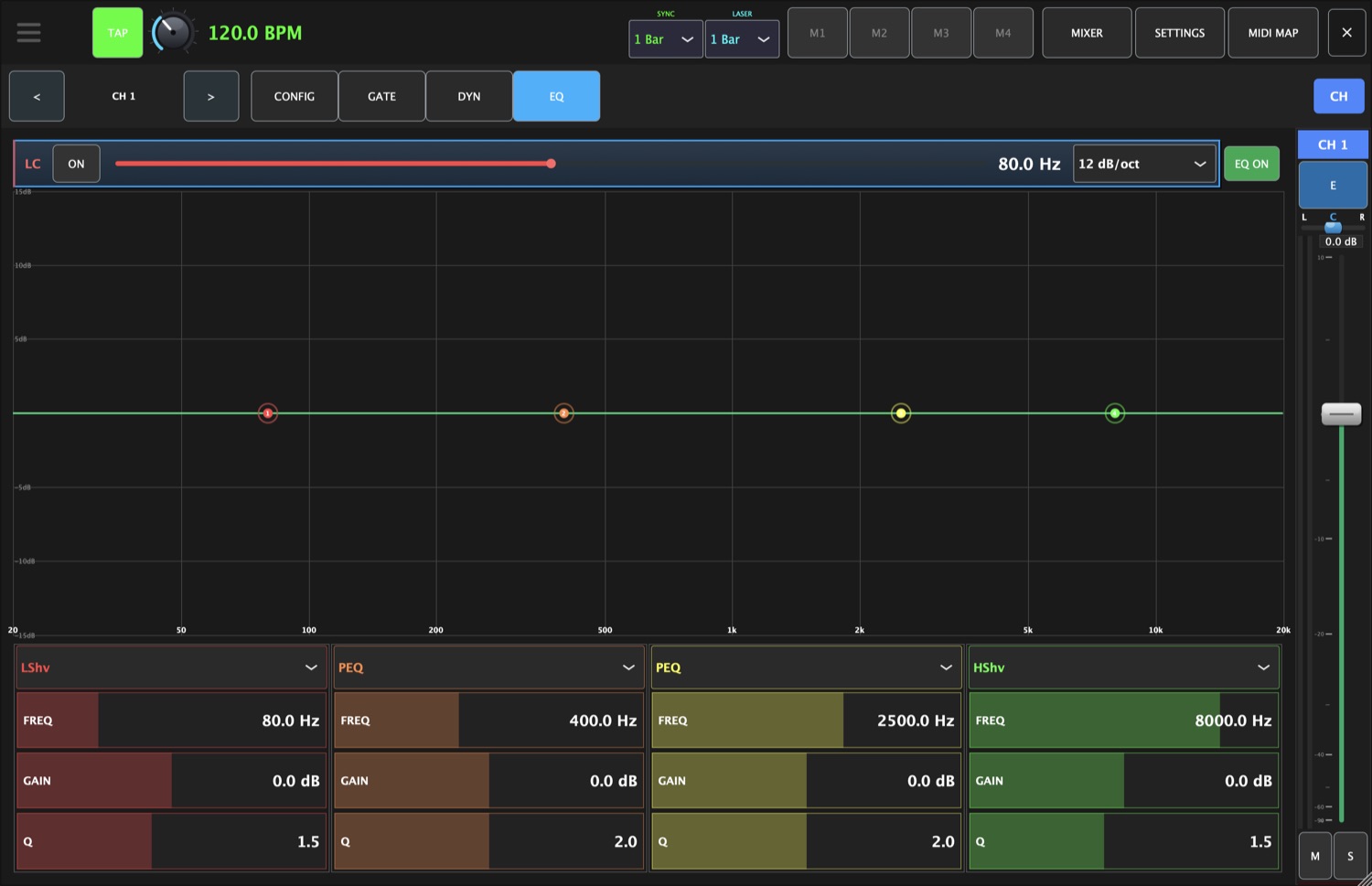
- 4/6-band parametric EQ with a live curve
- Compressor & gate with full dynamics control
- Buses, FX sends, DCA and mute groups
- Software stereo-link, copy & paste channels
VST3 instruments with instant snapshots
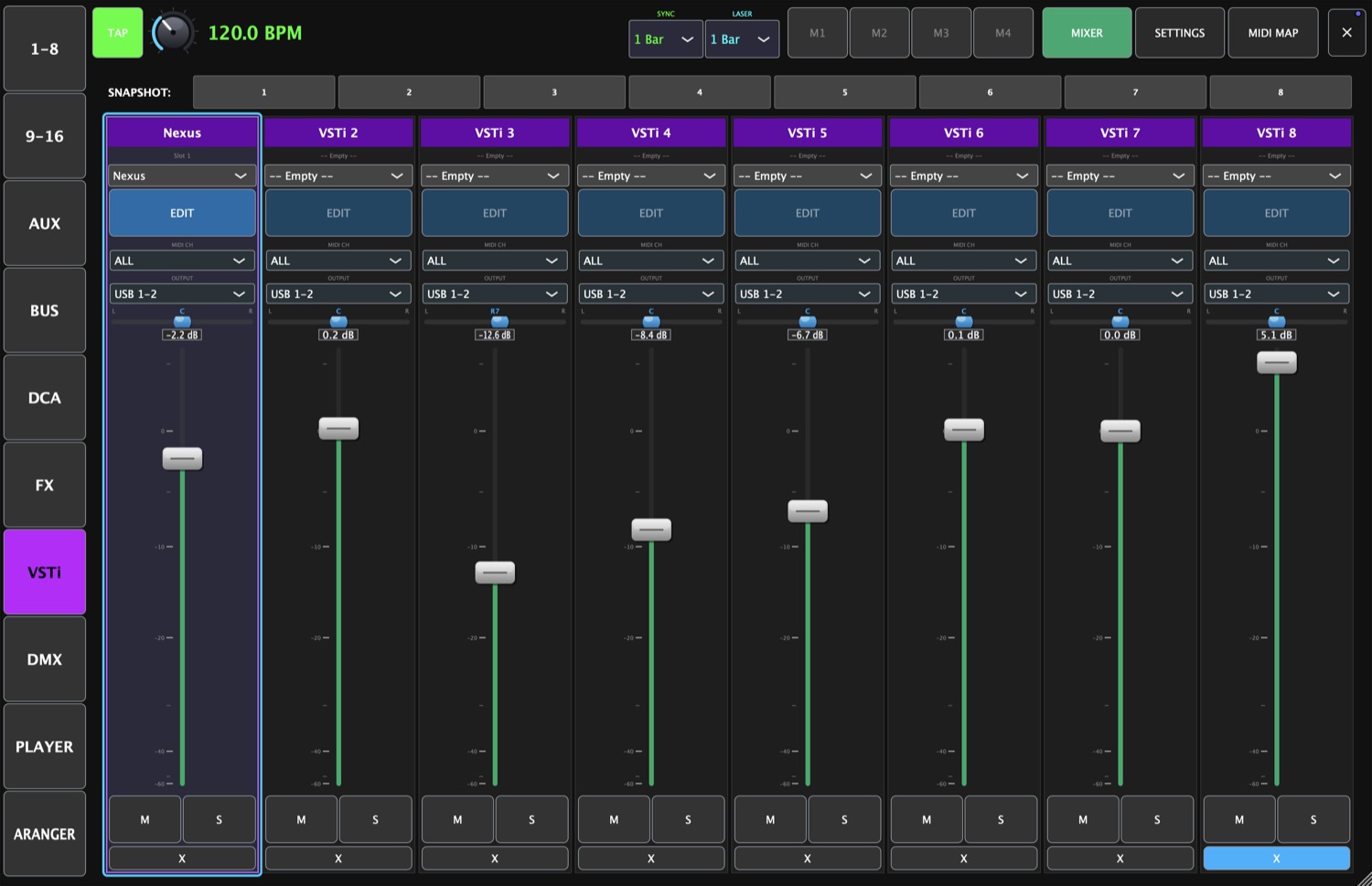
Host up to 8 VST3 instruments and switch sounds instantly with click-free crossfades. Save and recall snapshots from a MIDI pad — no menus, no gaps between songs.
- 8 plugin slots with per-slot routing
- Click-free 5 ms crossfade on switch
- Snapshot load / save straight from a controller
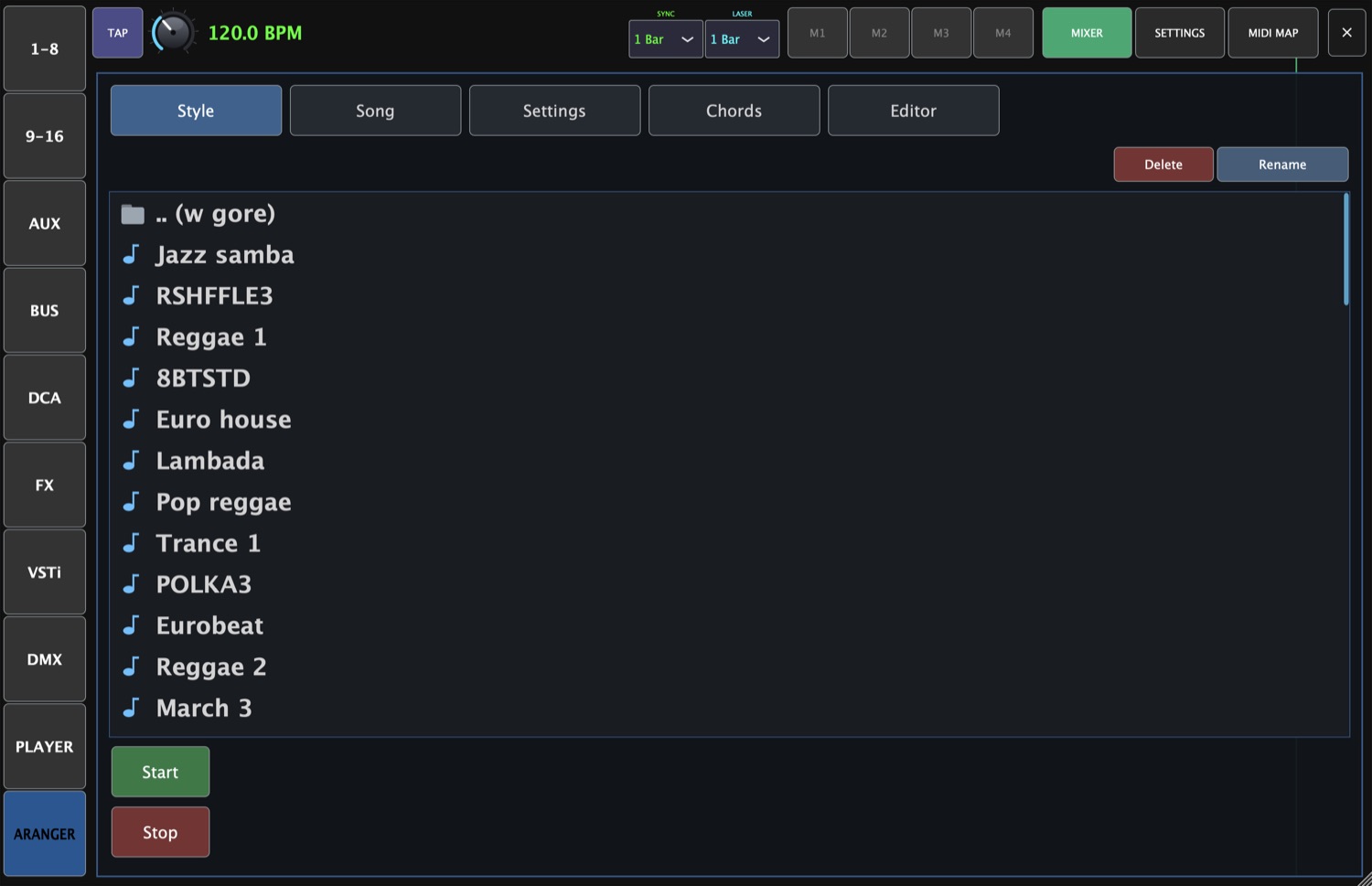
A backing band that follows your chords
Play Yamaha-format styles (.sty) that react to the chords under your fingers, or fire backing tracks from one-touch macros. Intro, main variations and fills — tempo-locked and ready to gig.
- Yamaha style playback with live chord detection
- Intro / Main A–D / Fill sequencing
- Backing-track player with one-touch macros
Lyrics on every phone, lights on every beat
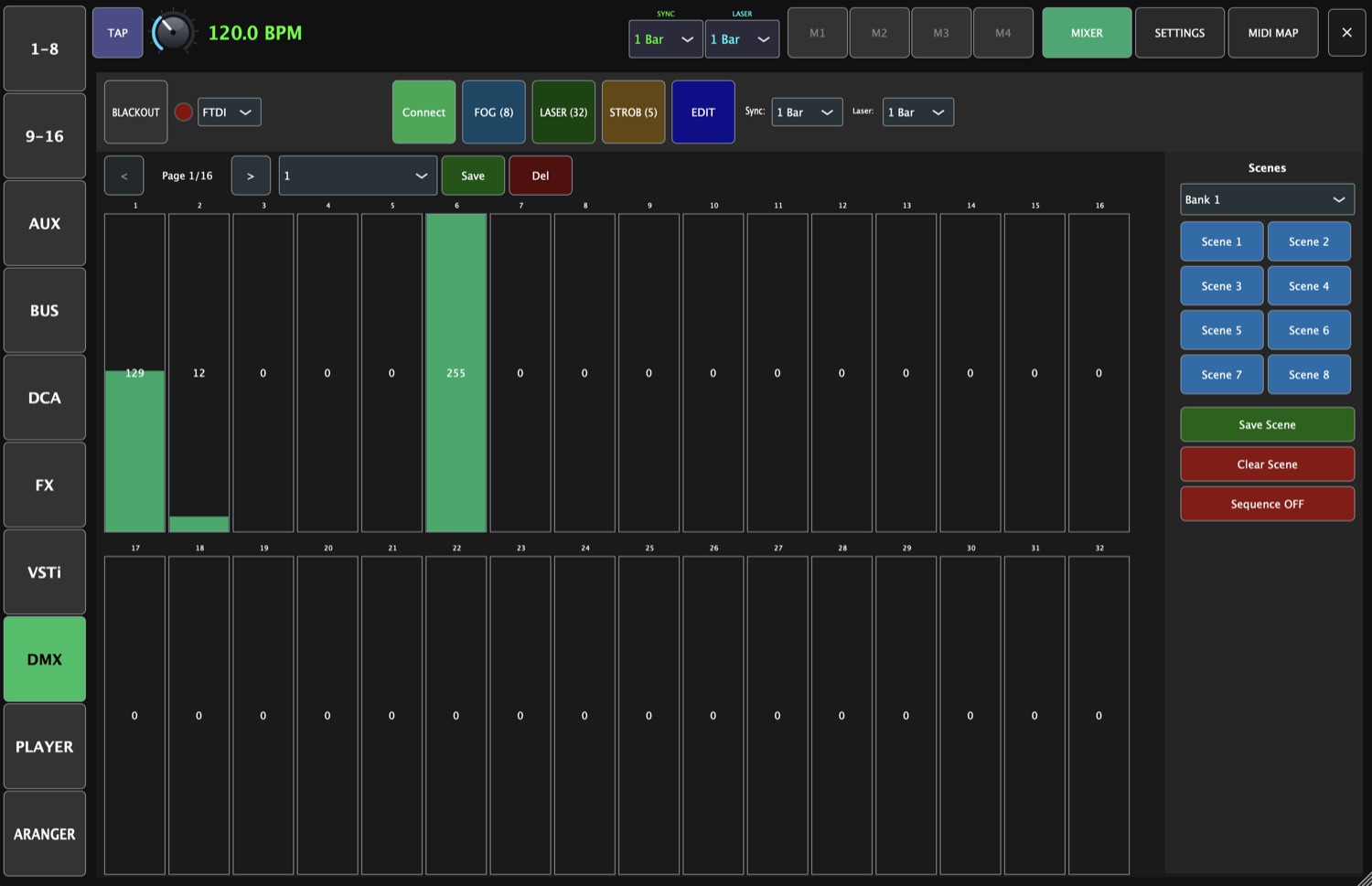
Detect chords from an audio file or pull lyrics from the web, transpose on the fly, and broadcast the running song to your band's phones. DMX lighting stays synced to your tempo.
- Chord detection & live transposition
- Lyrics broadcast to phones over Wi-Fi
- Tempo-synced DMX lighting control
MIDI Learn on everything
Map almost any function to any controller — 6 control modes from continuous to relative encoders.
Built for touch
Kiosk fullscreen, designed for a single 1280×720 touchscreen — big targets, fingers or MIDI, no fiddling.
FX rack
61 effect types across 9 categories — reverbs, delays, modulation and more, on your bus sends.
Real-time metering
Live meters, peak decay and keep-alive on a dedicated timing path — what you see is what's happening.
Demo mode
No console on hand? Explore every screen and workflow in demo mode before you ever plug in.
Snapshots & scenes
Recall entire setups instantly — colour-coded snapshot buttons show what's saved and what's live.
One screen, a whole show
Watch HowTourNick drive a live setup — mixer, instruments and backing, all from the same surface.
Every tool, one tap away
Fifteen dedicated views — tap any shot to enlarge.
Made for people who play live
Solo & one-man bands
Mixer, instruments, backing and lights under ten fingers — run a full show alone.
Bands & FOH engineers
Control the XR18 from the stage, push lyrics to the band, recall scenes in a tap.
Worship & event teams
Predictable, touch-first workflow for volunteers — snapshots keep every service consistent.
Requirements & compatibility
Bring your whole rig into one app
One-time license for macOS (Windows coming soon). Free updates within the version.
Frequently asked
Do I need a mixer to use it?
No. HowTourNick includes a full demo mode, so you can explore every screen and workflow without any hardware connected. Connect an XR18 when you're ready to go live.
Which mixers are supported?
The Behringer XR18, controlled over OSC on your Wi-Fi or LAN network — support for the X32 family is coming soon. Communication is bidirectional, so hardware changes are reflected in the app and vice-versa.
Can I control it from a MIDI controller?
Yes — almost every function supports MIDI Learn, with six control modes including toggle, momentary and relative encoders. Trigger snapshots, macros, faders and more from any controller.
Does it run on Apple Silicon?
Yes. The app ships as a universal binary for Apple Silicon (M1 and newer) and Intel Macs.
How do I buy it?
Click “Buy”, pay by card or BLIK, and you'll instantly get your licence key and invoice by email. Download HowTourNick from the link in the email or from your account, and activate it on up to three devices.
Talk to us
Questions, demos or a distribution enquiry? Reach out — we usually reply the same day.
Contact hours: Mon–Fri 9:00–17:00 (CET)